Redact a PDF on a Mac, and check the copy.
A black box on the page is not proof that the words are gone. Here is how to redact a PDF on a Mac so the text is removed from the file rather than covered, and how to check the copy before you share it.
Covering is not removing
A rectangle drawn over text leaves the text in the file: selectable, searchable, and extractable by anyone who deletes the rectangle. Excise PDF removes the matched characters from the page content instead. Reopen the output and the words are not there. Nothing is ever added as an annotation, because an annotation can be deleted, and that is the thing redaction is not.
Find & mark
Open the PDF in Excise PDF and type a word, a number, or a phrase. Add another search whenever the job needs one. Whole word and case-insensitive are the defaults, chosen for redaction rather than editing: a search for Smith does not match Smithson. Text selected on the page is offered as a search too, for this occurrence or for every occurrence. A signature or a stamp is marked by dragging a rectangle.
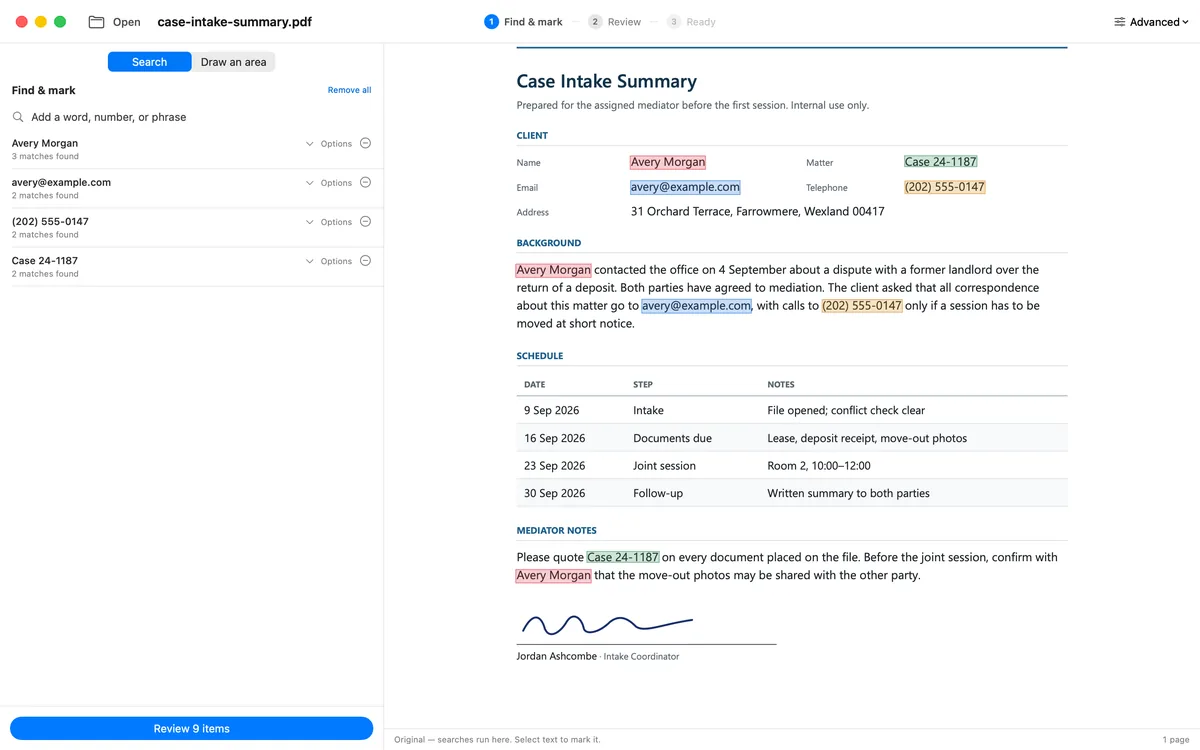
Four searches. Nine matches in this sample document.
Review every match
Each match is listed in the sentence it appears in, with its page. Leave one unchecked and that text stays in the document; the receipt records that it was left by review. Nothing is written until you press Redact.
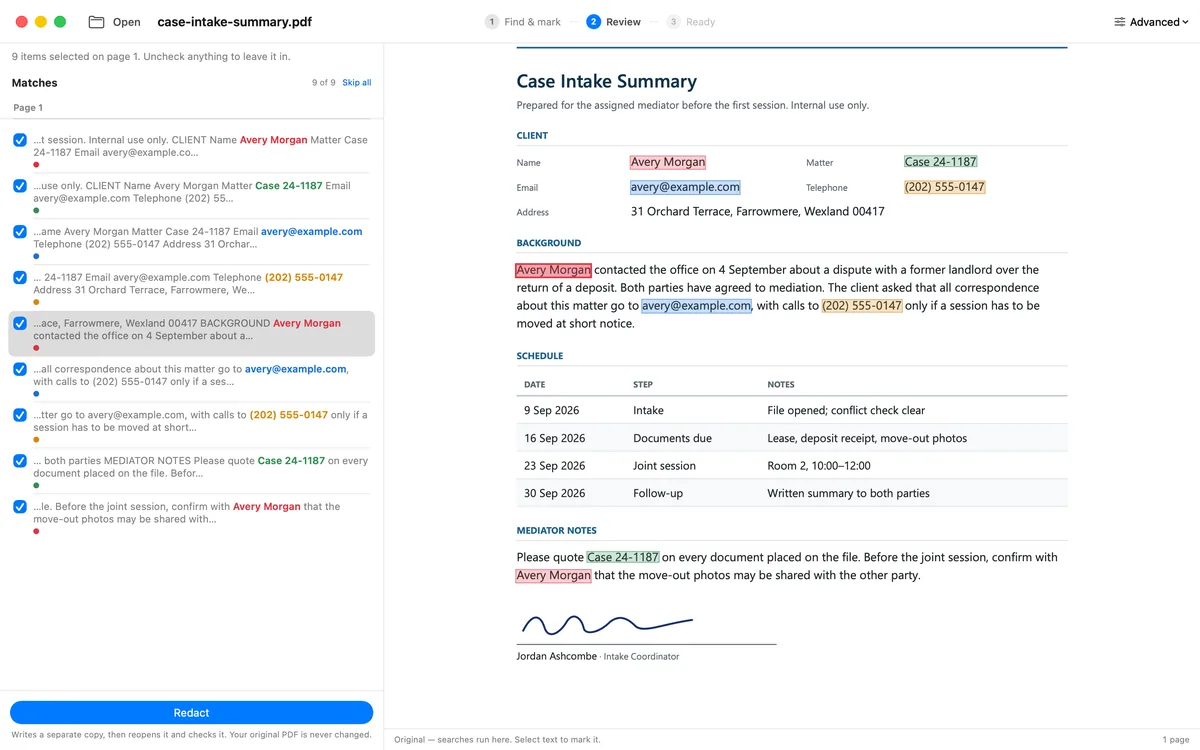
The same nine matches, selected for removal.
Save the copy
Excise PDF writes a separate copy, reopens that file, and checks it before it exists anywhere you can reach. The original is never written over; the pipeline refuses to. Only then is Save the copy… offered, and the save panel refuses a name that is already taken rather than replacing a file.
- Verified. The named checks passed. Ordinary saving is offered.
- Review required. Nothing failed, but something rests on one engine's reading. The receipt names the page or finding to look at, and the copy is saved only when you choose to.
- Not verified. Never saved under the chosen name. You can inspect the staged copy, or export a diagnostic copy whose name ends in
.NOT-VERIFIED.pdf.
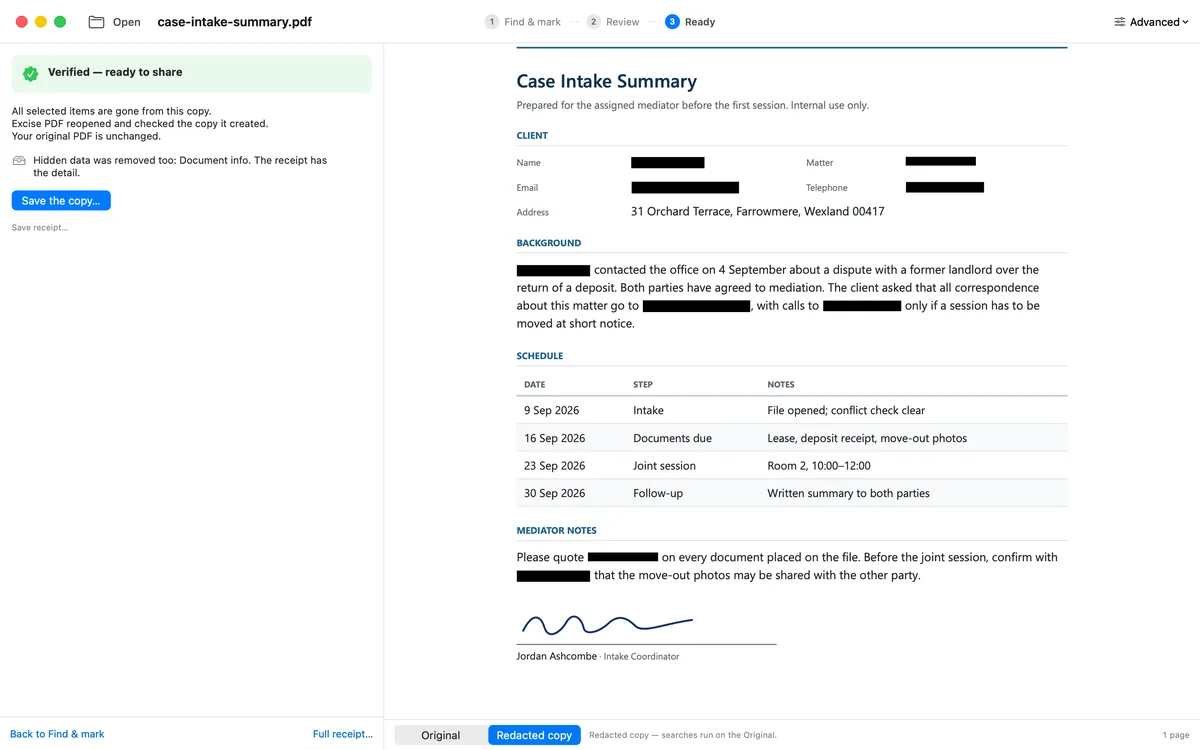
This run received a Verified result. Nine matches were removed.
What the check reads
The receipt is read out of the written file, never out of what the run believed it did. Two engines look at the copy: one re-extracts the text of every page, the way anyone opening the file would see it; the other walks every object and string in the file, which is where a form value, a bookmark title, or the document's own properties can still hold a name. The receipt states what it inspected before it states what it found, and a check that could not finish counts as a failure, not as a silence.
You can run the same check by hand on the saved copy: select and copy across a redaction and paste into a plain-text editor, search for the removed name, and open the document's properties and bookmarks. The longer version is in Redacting a PDF without a full editing suite, and the receipt's three results are explained in The verification receipt.
On your Mac, not on a server
The app requests no network entitlement and opens no connection of its own. Purchases are handled by the App Store. Your documents never leave your device.
Questions
Is the text really removed, or just covered? +
Removed. The matched characters are deleted from the page's content, and a black box, where you ask for one, is drawn as page content rather than as an annotation. Reopen the copy and search for the words: they are not there, and the receipt says so because it searched.
What does Verified mean? +
That the checks named on the receipt passed for that file and that run: the removed text was not found on any page or in any object, the markings it wrote read back, and nothing is left unanswered. It is not a blanket promise about everything in the document. Where a check rests on one engine's reading, the result is Review required, and the receipt names the page.
Does it change my original file? +
No. Output is always a separate copy, and the pipeline refuses to write over its input. A save never replaces an existing file either: a taken name is refused in the panel, with the name still editable.
The receipt comes with the copy
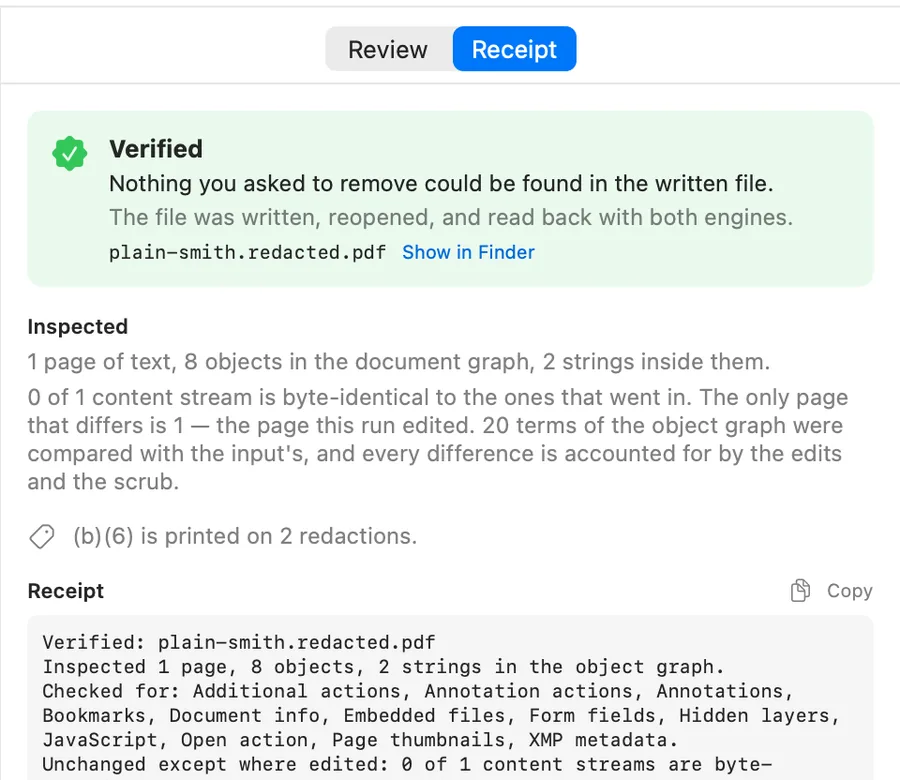
The Ready panel after a Verified run on a Mac. Full receipt… opens the complete list of what was inspected.
Excise PDF is free to download; your first PDF is free. After that, pay for one document or buy Unlimited once. No subscription.