Redact a whole folder of PDFs on a Mac.
Point Excise PDF at a folder. Your saved searches run over every PDF in it, each copy is checked before it is placed, and one receipt accounts for every file, including the ones it refused.
One job, forty files
A records clerk, a bookkeeper, or a paralegal rarely has one PDF. They have an inbox folder, the same names and numbers to remove from each file, and a need to show afterwards what was done to every one. That is the job the folder window does. It is a folder you pick and a button you press: no watched folder, no scheduling, no server.
Write the search list once
Open Redact a Folder… from the File menu (⇧⌘B), or press Folder… in a document window's toolbar. The folder window is where the Mac's saved searches live: the same list the iPhone and the share sheet read. Each one is a word, a number, a pattern, or a regular expression, with an optional replacement or exemption code, written through the same rule form a single document uses. A rule joins the list only when you press Save, and Run is refused while any saved rule has nothing to find; the footer says which.
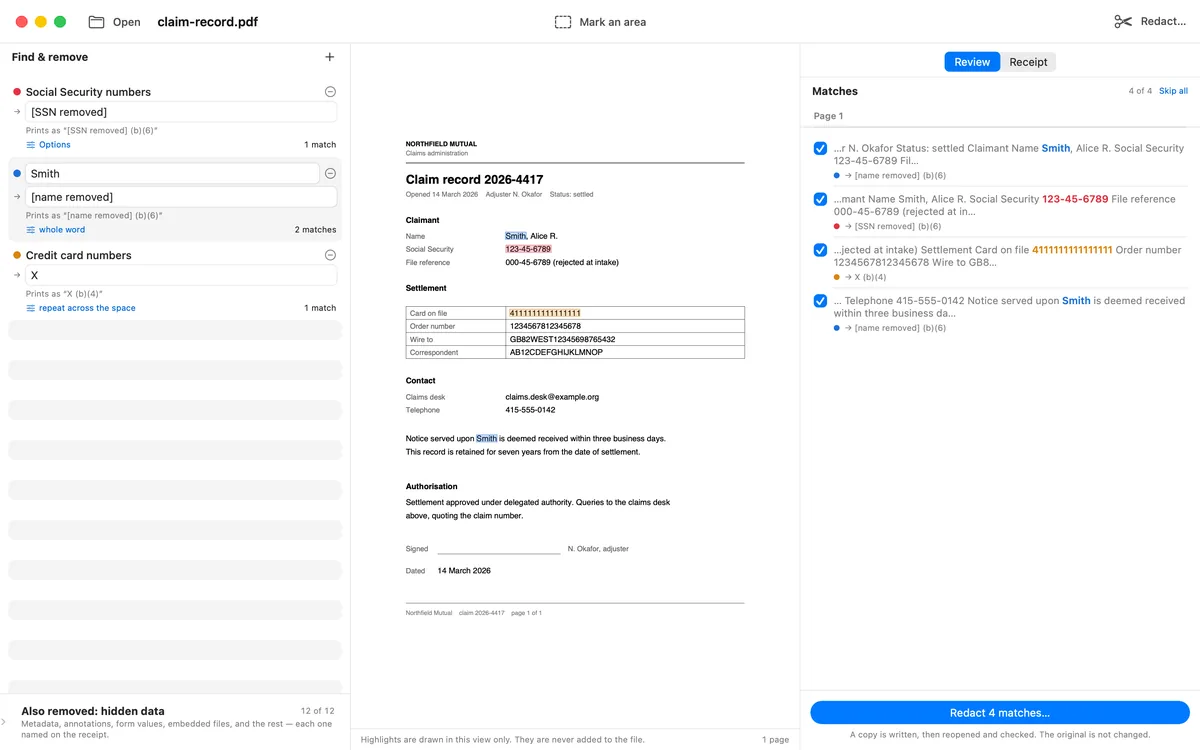
Three searches in a document window: a pattern, a name, and another pattern. The folder window writes the saved list through the same rule form.
Choose the folder, and where the copies go
Copies go beside the originals, as name.redacted.pdf
next to each file, or into a second folder you pick; both
are remembered. Subfolders are off by default, and the receipt says which
it was. In folder mode the destination can never be the source or inside
it, and the window refuses before anything is read. A folder in the Trash
is refused too.
Folder processing is part of Unlimited. The window opens, a folder can be chosen and the searches can be written by anybody, and beside Run it says so before anything is pressed. Pressing Run without Unlimited raises the offer and does nothing else: nothing listed, nothing read, nothing written.

The folder window after a run over a folder named claims-inbox: the folder and its path, then the headline.
Run, and read the one receipt
Every input gets a line: Verified, Review required, Not verified, Refused,
Failed, Skipped, or Not attempted. The headline counts verified copies,
not files written. Nothing reaches an output name before it has been
checked, and the three results land in three places: verified copies in
the destination, copies that need a look in Needs Review/, and
copies that did not verify in Not Verified/ as
name.NOT-VERIFIED.pdf, kept out of the output on purpose.
A folder run never overwrites anything, not even its own earlier output. Run the same folder again and the files already done are skipped and named, so a second run is incremental. Stop a run partway and every file not reached gets its own Not attempted line. Save Receipt writes the receipt as a text file beside the copies, and each document's own full receipt is included in it, indented under that document's line.
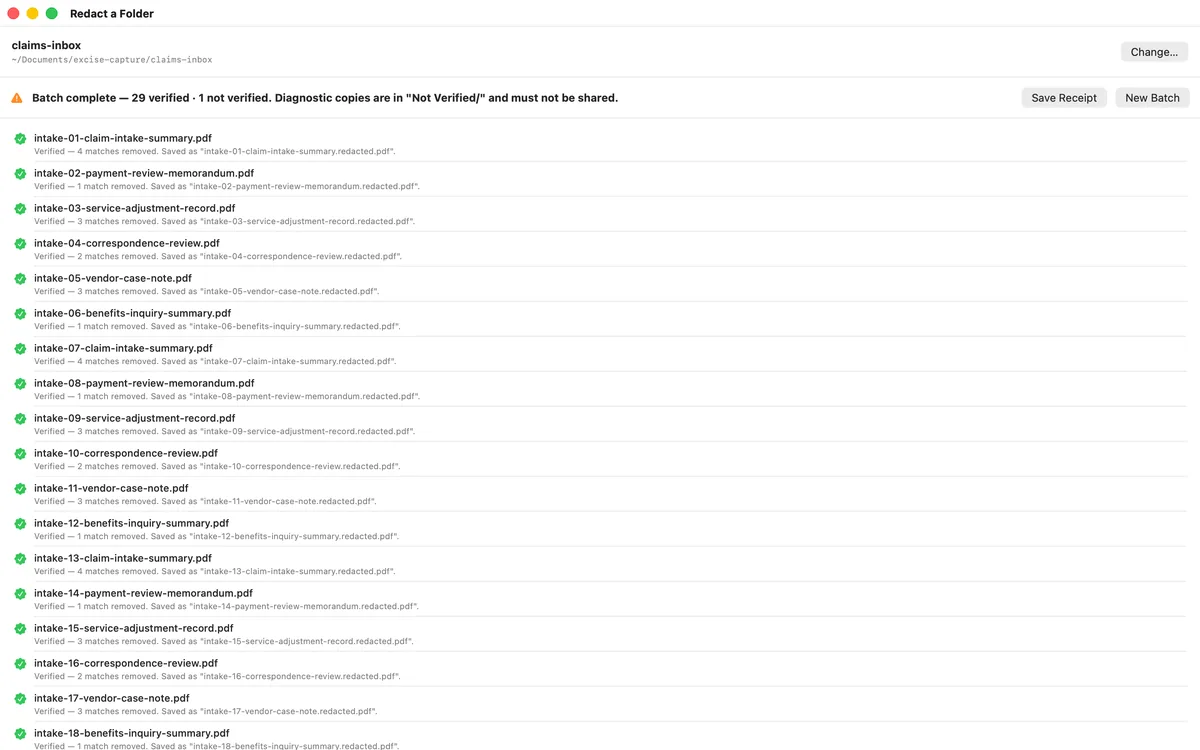
A folder of thirty: 29 verified, and one that did not verify, placed in its own folder and named on the headline. Folder processing is part of Unlimited. Actual Mac app capture, fictional sample documents.
What a folder run does not do
A folder run reviews the rules once, for the folder, not each match one by one. The receipt says so in its own words, and it records how the folder was run: whether scanned page images were redacted with on-device OCR, and whether a page that could not be edited safely was converted to an image or left refused. A single document on the Mac, iPad, or iPhone still shows every match and lets you leave one in. Folder runs take no drawn rectangles, since a rectangle is aimed at one page. A document that runs past ten minutes is stopped, any partial copy is removed, and its line says it was not verified.
Questions
Do I review every match in a folder run? +
No. Every match the saved rules find is applied, and the receipt states that the rules were reviewed once, for the folder. Review the rules against a few documents in a single-document window first; the same list runs over the folder.
What happens to a file that does not verify? +
It is never placed under the ordinary output name. The copy goes into a Not Verified folder as name.NOT-VERIFIED.pdf, the headline says those diagnostic copies must not be shared, and the document's line names what did not pass. A copy that needs a person's eye goes into Needs Review, never mixed with the verified output.
Can I run the same folder again? +
Yes, and nothing is overwritten. A document whose copy already exists at any of the three places it could have landed is skipped, with a line that says where that file is and that it was not checked. Move or remove it to redo that document.
The same receipt, for every document in the folder
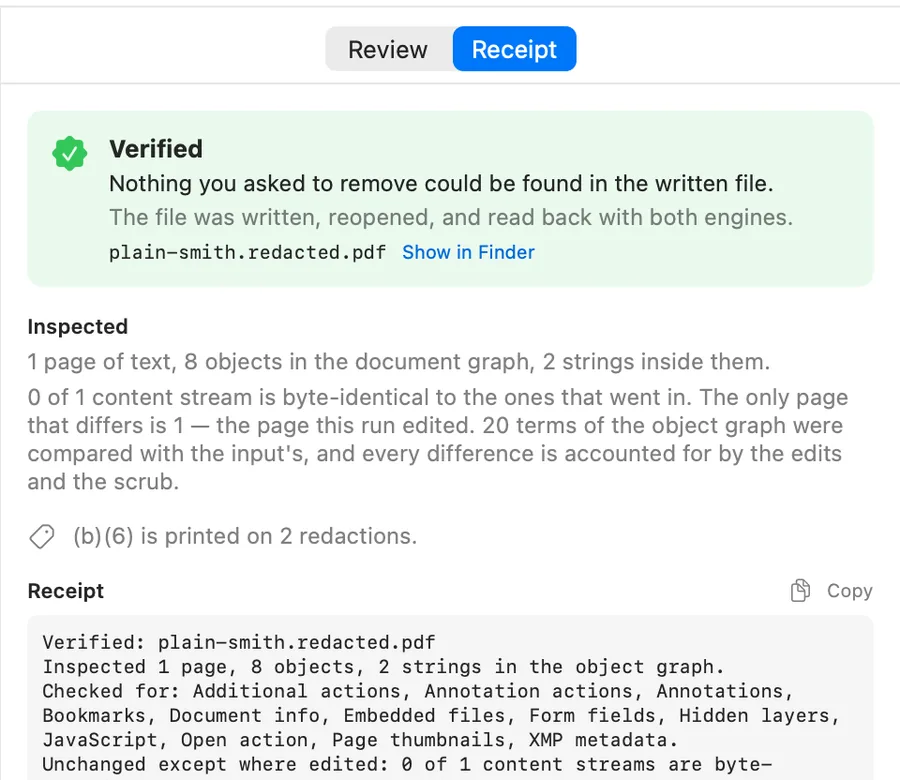
A single document's Ready panel. In a folder run, each document's full receipt is included in the folder's receipt, indented under its line.
Excise PDF is free to download; your first PDF is free. After that, pay for one document or buy Unlimited once, which covers Mac, iPhone and iPad and adds folder processing on the Mac. No subscription.