Redact a PDF on an iPhone, from the share sheet.
A PDF arrives in Mail or Files. Share it to Excise PDF, and the same three steps run right there, without leaving the app you are in: find and mark, review every match, then a checked copy you save where you choose.
The same job, in one column
Underneath the share sheet is the same pipeline the Mac window uses: the same searches, the same removal of the matched characters from the page, the same single write, and the same re-read of the written file. There is no second, simpler redaction for small screens, because a second path is the one that would drift away from the first and start claiming more than it checked.
Share it, then find & mark
On the PDF, tap Share, then Excise PDF. The sheet reads the searches you saved in the app and shows each one with the matches it found in this document. Take a saved search out of this run, or type a new one in for this document only; neither changes the saved list, because the share sheet reads that list and never writes it. The first page is shown as a thumbnail with the file's name and page count, and tapping it opens the document, so you can see it is the right file before anything runs.
Two things the sheet says out loud rather than leaves out: you cannot draw a rectangle over part of a page here, and auto-detect does not run here. A signature or a stamp is marked, and the document is swept for patterns, in Excise PDF itself.
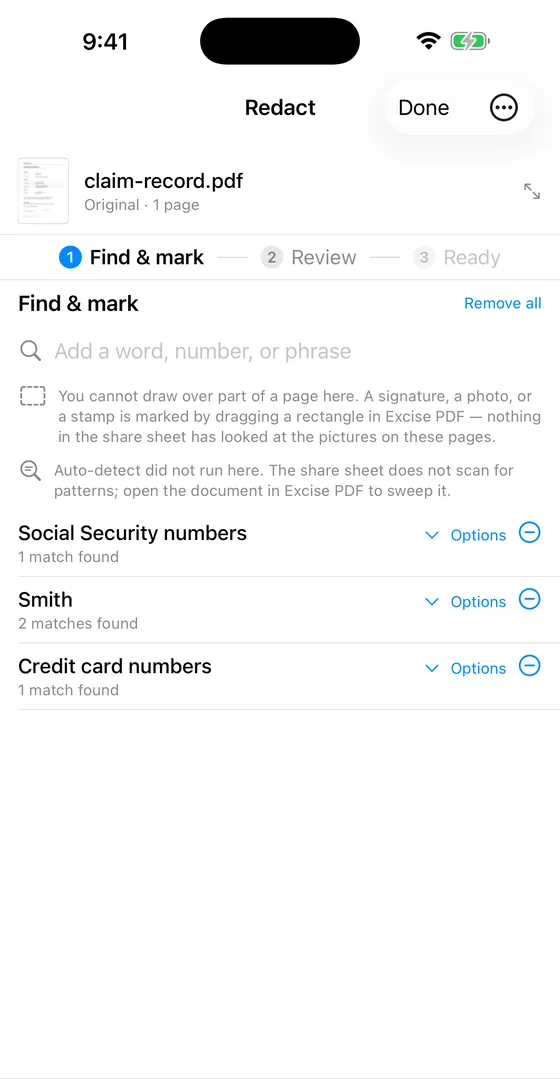
The share sheet's first step: three saved searches and their counts for this document, and the two things it did not do.
Review every match
Each match is its own sentence, with its page and what it becomes, and each has its own switch. Turn one off and that text stays in the document; the button counts what is still selected. Looking at a match is not deciding about it: a match's page can be opened without changing what happens to it.
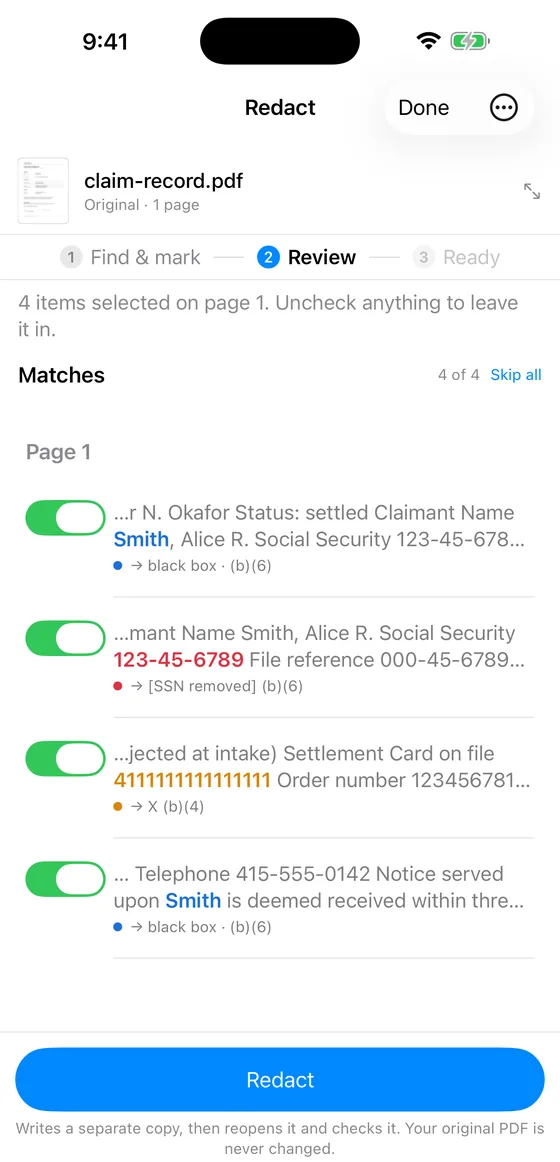
Four matches on page one, each with its own switch. Redact writes a separate copy, then reopens it and checks it.
Ready, then save the copy
The copy is written inside Excise PDF, reopened, and checked, and the result is shown before it goes anywhere. Until you save it, the copy is still inside Excise PDF, and the screen says so. Save the copy… asks what the file should be called, then opens the system picker for where it goes, and Saved appears only once the file has been read back from that place.
- Verified. The named checks passed. Save the copy where you choose.
- Review required. The receipt names the page to look at, and you can open it there before deciding to save.
- Not verified. Never exported under an ordinary name. You can inspect the copy, or export a diagnostic copy whose name ends in
.NOT-VERIFIED.pdf.
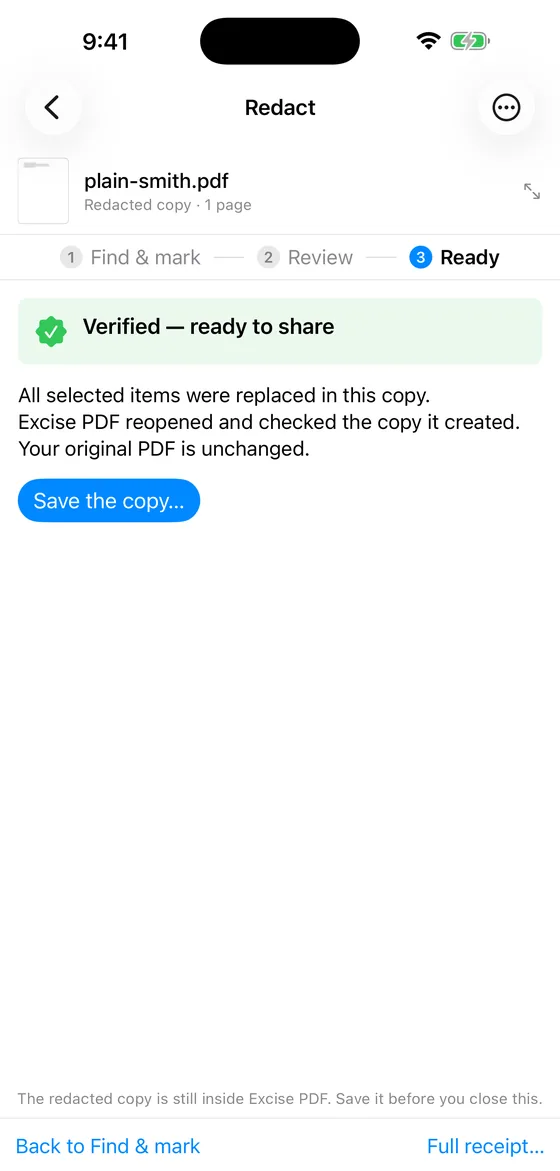
The Ready step in Excise PDF. The share sheet shows the same three steps in the same column, and the same sentence about saving.
You can look at the page
Before a run, View PDF opens the document full screen. During review, a match opens at its page, with the matches drawn on the page itself rather than written into the file. After a run there are two documents, and the viewer says which one it is showing, with a switch between the original and the redacted copy that keeps the page you were on. Match highlights appear only on the original: on the copy those characters are gone, and a highlight there would point at where words used to be.
What the share sheet will not do
- Draw a rectangle, or sweep the document for patterns. Both happen in Excise PDF, and the sheet says so where the controls would be.
- Open a document over 24 MB or 200 pages, or an encrypted one. A share extension gets a fraction of an app's memory, so the sheet refuses by name and points you to the app, which has no such ceiling. The password prompt lives in the app.
- Sell anything. The sheet saves whatever the app would. If this device's free PDF has been used, its first screen says so before any work, you can still redact and check the document there, and buying a save happens in Excise PDF.
Questions
Does the share sheet change my saved searches? +
No. It reads them and never writes them. Taking one out of this run, or typing a new one in, affects this document only. The saved list is edited in Excise PDF.
Where does the redacted copy go? +
Nowhere until you say. The copy is checked inside Excise PDF first. Save the copy… asks for a name and then a place, through the system picker, and the original is never changed.
Is every match reviewed on the phone? +
Yes. The phone and the share sheet show every match in its own sentence with its own switch, like the Mac and the iPad. The one flow without a per-match review is a folder run on the Mac, and its receipt says so.
The receipt comes with the copy
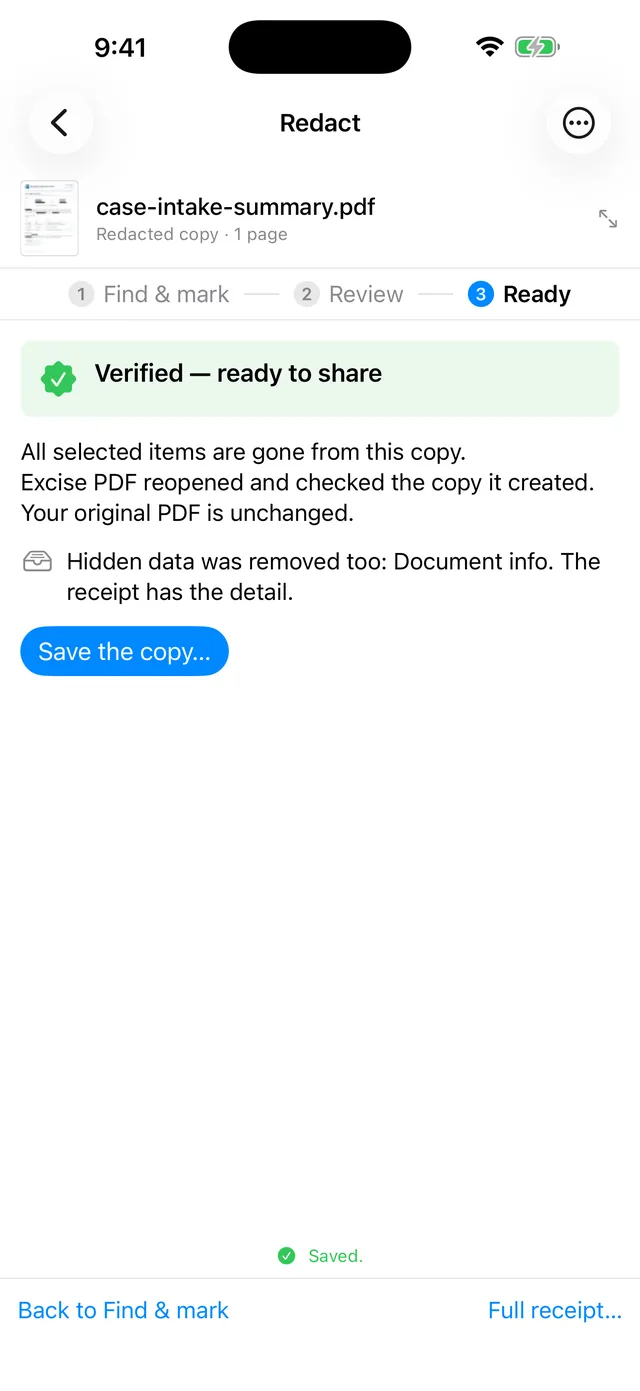
After Save the copy…: Saved, and a line about the hidden data that went with the text. Full receipt… lists everything that was checked.
Excise PDF is free to download; your first PDF is free. After that, pay for one document or buy Unlimited once. No subscription.