More than one thing to remove?
Add as many search criteria as the job needs. Combine names, phrases, numbers, and supported patterns, then review their matches together.
- Avery Morgan
- [email protected]
- (202) 555-0147
- Case 24-1187
A simple redaction utility. Find what should go, review it, and save a separate, checked copy.
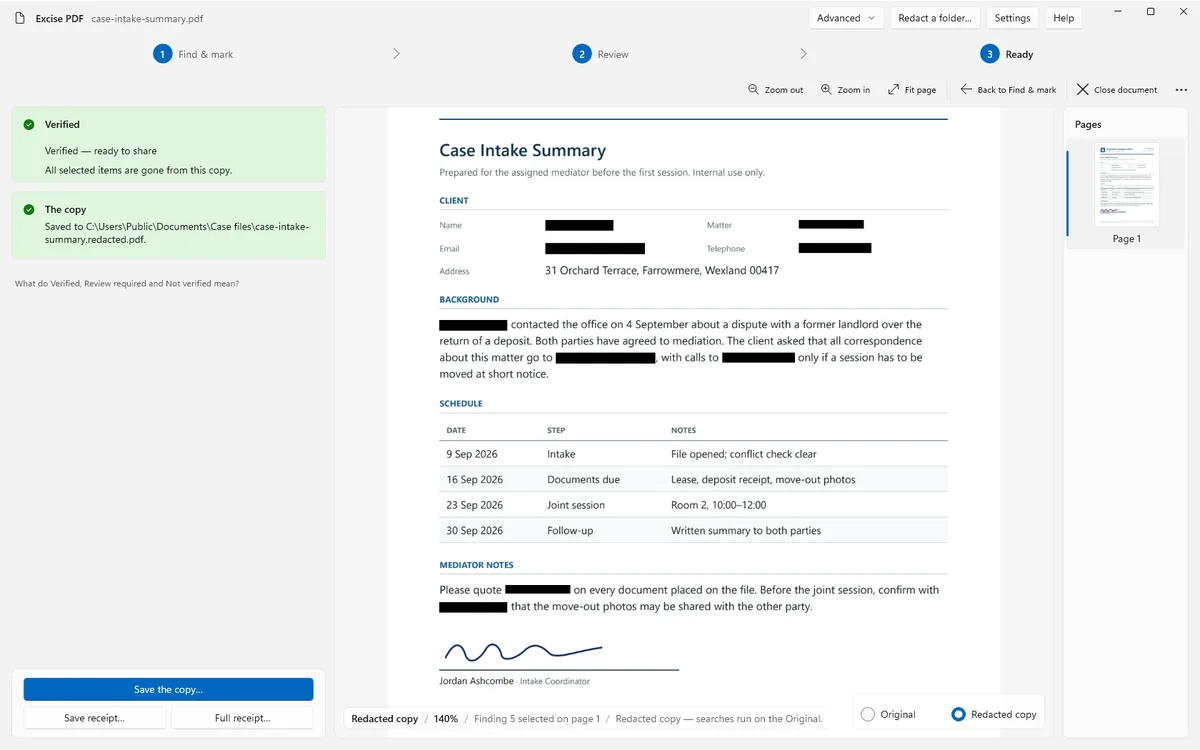
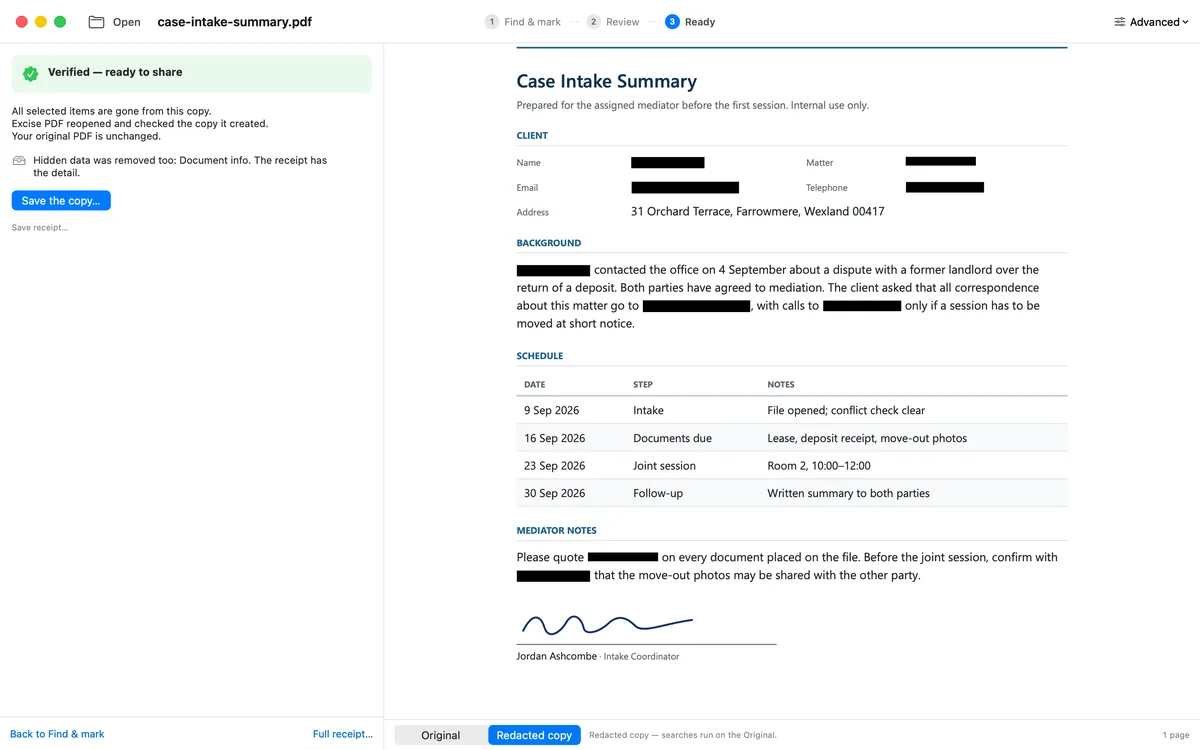
Actual app captures. The same fictional document, redacted on both platforms.
Search the PDF and/or mark an area. Add as many search criteria as the job needs.
See the matches in context. Choose what should go and what should stay.
Remove the selected content, read the check result, and save. Your original stays unchanged.
Use either approach, or combine them in the same job.
Add as many search criteria as the job needs. Combine names, phrases, numbers, and supported patterns, then review their matches together.
Draw a rectangle around the area you want removed. A mark clears that place on that page; it does not search for similar content elsewhere.
By default, marking an area makes that page an image in the copy. The receipt explains what was checked.
How area marking works →Excise PDF reopens the file it created and gives you a receipt. A Verified result applies to the checks named for that file and that run. It is not a blanket promise about everything in the document.
Understand the verification receipt →The named checks passed.
The receipt tells you what needs a look.
The receipt names what did not pass.
Choose your platform. Both are one-time purchases, with no subscription.
Free download. Seven days with the full app, starting at your first redaction. No app account or card for the trial.
Buy the licence here on our website after the trial.
Perpetual licence, with 12 months of updates.
Windows 10 or 11 · 64-bit · Version 1.0.0
Get Excise PDF from the App Store and use it across your Mac, iPhone, and iPad.

macOS 14+ · iOS 17+ · iPadOS 17+
Your local App Store shows the price for your region.
The Windows licence and Apple purchase are separate. Purchase terms →
Matched text is removed from the PDF page content, not hidden behind a removable annotation. The separate copy is then reopened and checked.
No. Documents stay on your device. The direct Windows version has an optional update check that sends no document, file name, or search term. Read the privacy policy.
On-device OCR can read a page without a text layer, but it can miss visible text. Read the receipt and visually review those pages. OCR alone is not proof that everything was found.
Windows and Mac can run a saved search list across a folder. Folder runs do not include individual match review or manual areas; their receipt reports each file's result.

Built by Kalman Software after the founder’s wife needed a straightforward way to remove private information from a PDF.
Choose your platform →